






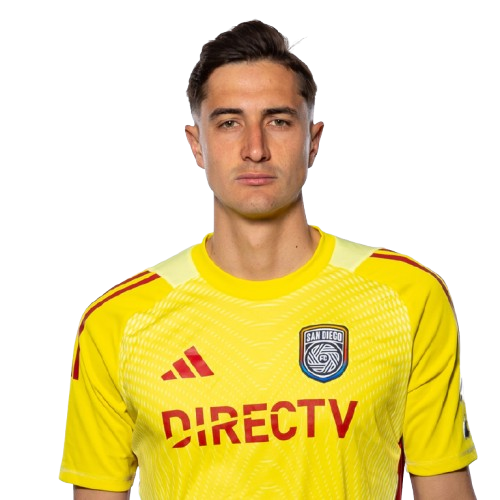
Pablo Sisniega is a Mexico goalkeeper currently listed with San Diego FC in Major League Soccer.
Pablo Sisniega MLS Profile
- Club: San Diego FC
- Position: Goalkeeper
- Nationality: Mexico
- Born: July 7, 1995
- Height: 1.90 m (6 ft 2 in)
- Weight: 8 kg (176 lbs)
About Pablo Sisniega
Pablo Eduardo Sisniega Fink (born 7 July 1995) is a Mexican professional footballer who plays as goalkeeper for Major League Soccer club San Diego FC.
After spending time with Real Sociedad, Sisniega joined Major League Soccer side Los Angeles FC on 18 February 2019.
Sisniega made his professional debut on 11 June 2019, starting in a 3–0 win over Real Salt Lake in a Lamar Hunt US Open Cup fixture. On 20 June 2019, with Tyler Miller away at the 2019 Gold Cup, Sisniega made eight saves to help Los Angeles win 3–1 over San Jose Earthquakes in the Round of 16 of the US Open Cup. On 3 July 2019, in his second MLS appearance, Sisniega made several key saves to help his team in a 5–1 away win at Sporting Kansas City, including an 82nd minute penalty save on Daniel Salloi.
Pablo Sisniega Discussion
Discuss Pablo Sisniega, San Diego FC, MLS performances, transfers, goals, highlights, and Major League Soccer news on MLS Forums.
Join the conversation
You can post now and register later. If you have an account, sign in now to post with your account.