





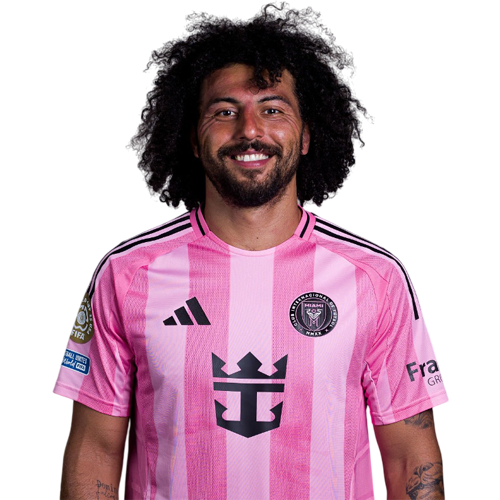
Maximiliano Falcón is a Uruguay centre-back currently listed with Inter Miami in Major League Soccer.
Maximiliano Falcón MLS Profile
- Club: Inter Miami
- Position: Centre-Back
- Nationality: Uruguay
- Born: May 1, 1997
- Height: 179 cm (5'10\")
- Weight: 174 lbs
About Maximiliano Falcón
Maximiliano Joel Falcón Picart (born 1 May 1997) is a Uruguayan professional footballer who plays as a defender for Major League Soccer club Inter Miami CF.
A former youth academy player of Nacional, Falcón joined Rentistas in 2019. He made his professional debut for the club on 11 May 2019, coming on as an early substitute in a 1–0 home victory over Cerrito.
In 2020 he would sign for Chilean Primera División club Colo-Colo.
On 1 February 2025, Falcón would sign a three-year contract for MLS club Inter Miami. On 25 February he would make his debut for the club in the CONCACAF Champions Cup first round, second leg game against Sporting Kansas City it resulted in a 3-1 win.
Falcón is a former Uruguay youth international and have played for under-20 team in few friendlies. On 5 March 2021, he was named in Uruguay senior team's 35-man preliminary squad for 2022 FIFA World Cup qualifying matches against Argentina and Bolivia. However, CONMEBOL suspended those matches next day amid concern over the COVID-19 pandemic.
Maximiliano Falcón Discussion
Discuss Maximiliano Falcón, Inter Miami, MLS performances, transfers, goals, highlights, and Major League Soccer news on MLS Forums.
Join the conversation
You can post now and register later. If you have an account, sign in now to post with your account.