






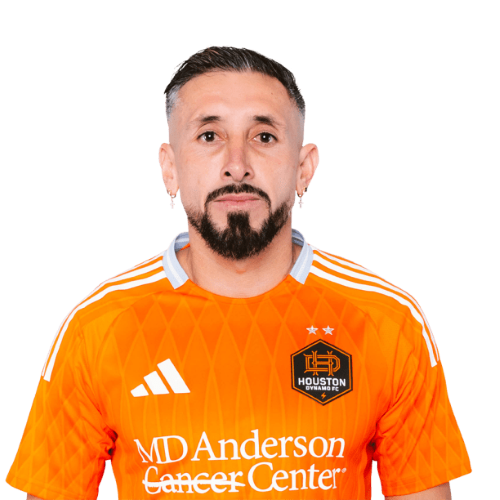
Hector Herrera is a Mexico midfielder currently listed with Houston Dynamo in Major League Soccer.
Hector Herrera MLS Profile
- Club: Houston Dynamo
- Position: Midfielder
- Nationality: Mexico
- Born: April 19, 1990
- Height: 1.80 m (5 ft 11 in)
- Weight: 174 lbs
About Hector Herrera
Héctor Miguel Herrera López (Spanish pronunciation: ; born 19 April 1990) is a Mexican professional footballer who plays as midfielder for Major League Soccer club Houston Dynamo.
Herrera began his career with Pachuca in 2011 and spent three years at the club before joining FC Porto. He struggled for playing time in his first season in Portugal before gradually cementing his place in the starting eleven. Since the 2015–16 season, Herrera served as club captain. In his six years with Porto, Herrera made 245 appearances across all competitions, winning a Primeira Liga title and two Supertaça cups.
A full international since 2012, Herrera won the Olympic gold medal in that year's football tournament, and was part of Mexico's winning team at the 2015 CONCACAF Gold Cup. He has represented his country at the 2014 and 2018 FIFA World Cup, the 2013 and 2017 FIFA Confederations Cup, and the Copa América Centenario.
Hector Herrera Discussion
Discuss Hector Herrera, Houston Dynamo, MLS performances, transfers, goals, highlights, and Major League Soccer news on MLS Forums.
Join the conversation
You can post now and register later. If you have an account, sign in now to post with your account.