





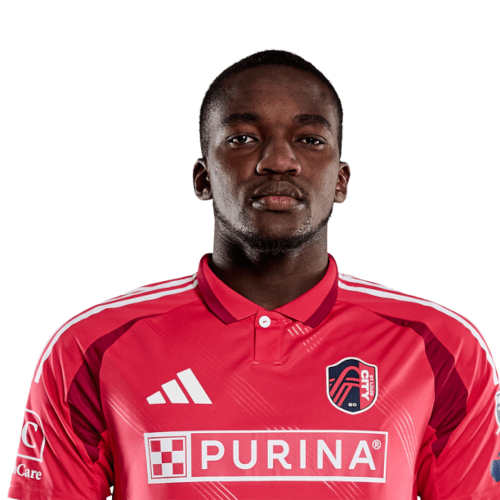
Fallou Fall is a Senegal defender currently listed with St. Louis City SC in Major League Soccer.
Fallou Fall MLS Profile
- Club: St. Louis City SC
- Position: Defender
- Nationality: Senegal
- Born: April 15, 2004
- Height: 6' 4"
About Fallou Fall
Fallou Fall (born 15 April 2004) is a Senegalese professional footballer who plays as a centre-back for Major League Soccer club St. Louis City.
Club career
On 8 July 2022, Fall signed a professional contract with the Serbian club Grafičar on a three-year contract. He began his senior career in the Serbian First League for the 2022–23 season, making 14 appearances and scoring 1 goal. On 27 January 2023, he transferred to the French club Reims until 2027 and was initially assigned to their reserves. He made his professional debut with Reims in a 3–0 Ligue 1 loss to Lyon on 27 May 2023.
On 10 July 2024, Fall was loaned to Eliteserien club Fredrikstad for the remainder of the season.
On 28 April 2025, Fall signed a permanent deal with Fredrikstad.
On July 15 2025, Fall signed a permanent deal with St. Louis City.
International career
Fall is a youth international for Senegal, having played for the Senegal U23s.
Fallou Fall Discussion
Discuss Fallou Fall, St. Louis City SC, MLS performances, transfers, goals, highlights, and Major League Soccer news on MLS Forums.
Join the conversation
You can post now and register later. If you have an account, sign in now to post with your account.