






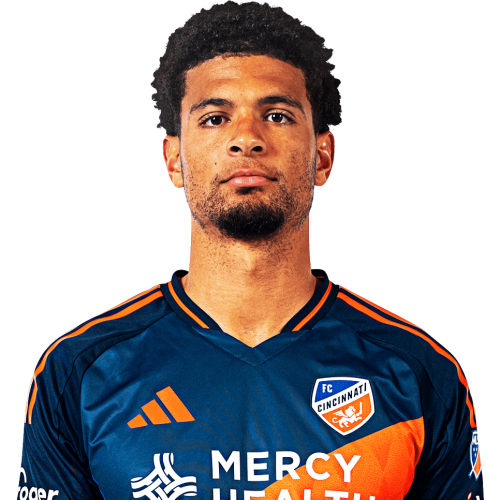
Miles Robinson is a United States centre-back currently listed with FC Cincinnati in Major League Soccer.
Miles Robinson MLS Profile
- Club: FC Cincinnati
- Position: Centre-Back
- Nationality: United States
- Born: March 14, 1997
- Height: 1.88 m (6 ft 2 in)
- Weight: 183 lbs
About Miles Robinson
Miles Gordon Robinson (born March 14, 1997) is an American professional soccer player who plays as a center-back for Major League Soccer club FC Cincinnati and the United States national team.
College career
Robinson attended Syracuse University, where he played for their soccer team for two years. He was named the ACC Defensive Player of the Year in 2016.
Club career
Robinson was chosen as the 2nd pick of the 2017 MLS SuperDraft by Atlanta United. He had been selected for the Generation Adidas program. On May 23, 2017, it was announced that he had joined Charleston Battery on loan. He made his professional debut two days later in a 1–0 away victory at Bethlehem Steel, playing 90 minutes.
International career
Robinson made his United States national team debut on 6 September 2019 in a friendly against Mexico, when he replaced Walker Zimmerman in the 58th minute of a 0–3 loss. On January 31, 2021, Robinson scored his first international goal, scoring the 5th goal in a 7-0 win vs the Trinidad and Tobago national football team.
Miles Robinson Discussion
Discuss Miles Robinson, FC Cincinnati, MLS performances, transfers, goals, highlights, and Major League Soccer news on MLS Forums.
Miles Robinson MLS Player Links
Loading player links...
Join the conversation
You can post now and register later. If you have an account, sign in now to post with your account.