






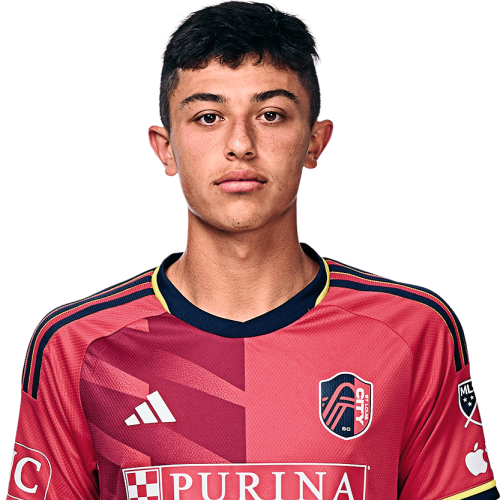
Miguel Perez is a United States midfielder currently listed with St. Louis City SC in Major League Soccer.
Miguel Perez MLS Profile
- Club: St. Louis City SC
- Position: Midfielder
- Nationality: United States
- Born: April 28, 2005
- Height: 1.80 m (5 ft 11 in)
- Weight: 139 lbs
About Miguel Perez
Miguel Perez (born April 28, 2005) is an American professional soccer player who plays as a midfielder for Major League Soccer club St. Louis City SC.
Career
Youth
Perez was born in St. Louis, Missouri, and attends Pattonville High School. He played varsity soccer for his high school team and also joined several clubs associated with the Olympic Development Program. Perez was scouted by the St. Louis City SC academy in November 2020 and joined them the following year. In 2022, Perez made seven appearances for St. Louis City SC 2, the club's reserve and development team in MLS Next Pro.
St. Louis City
On February 21, 2023, Perez signed a three-year homegrown player deal with Major League Soccer's St. Louis City SC ahead of their inaugural season. He made his MLS debut on February 26, 2023, appearing as a 59th-minute substitute during a 3–2 win over Austin FC.
Miguel Perez Discussion
Discuss Miguel Perez, St. Louis City SC, MLS performances, transfers, goals, highlights, and Major League Soccer news on MLS Forums.
Miguel Perez MLS Player Links
Loading player links...
Join the conversation
You can post now and register later. If you have an account, sign in now to post with your account.