






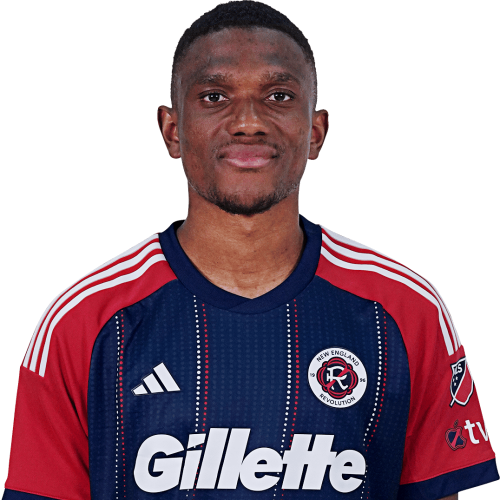
Mamadou Fofana is a Mali midfielder currently listed with New England Revolution in Major League Soccer.
Mamadou Fofana MLS Profile
- Club: New England Revolution
- Position: Midfielder
- Nationality: Mali
- Born: January 21, 1998
- Height: 1.86 m (6 ft 1 in)
- Weight: 163 lbs
About Mamadou Fofana
Mamadou Fofana (born 21 January 1998), also known as Nojo, is a Malian professional footballer who plays as a defender for MLS side New England Revolution and the Mali national team.
Club career
Fofana transferred to Alanyaspor in 2016, joining from the academy of Stade Malien. Fofana made his professional debut for Alanyaspor in a 2–3 Süper Lig loss to Çaykur Rizespor on 14 January 2017.
International career
Fofana represents Mali internationally, and represented the Mali U17s at the 2015 FIFA U-17 World Cup, and the Mali U20s at 2017 Africa U-20 Cup of Nations.
Fofana made his senior debut for the Mali national football team in a 2018 World Cup qualification tie against Ivory Coast on 6 October 2017.
Mamadou Fofana Discussion
Discuss Mamadou Fofana, New England Revolution, MLS performances, transfers, goals, highlights, and Major League Soccer news on MLS Forums.
Mamadou Fofana MLS Player Links
Loading player links...
Join the conversation
You can post now and register later. If you have an account, sign in now to post with your account.