






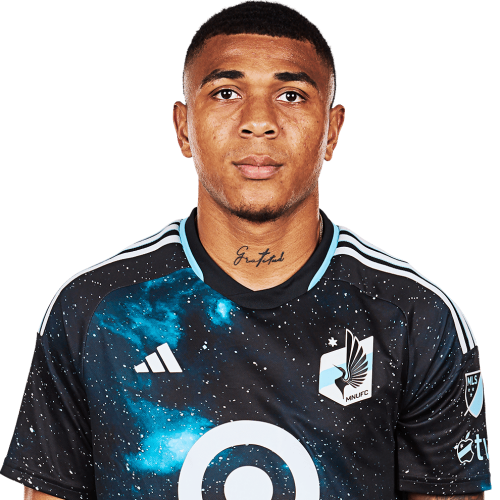
Jefferson Díaz is a Colombia defender currently listed with Minnesota United in Major League Soccer.
Jefferson Díaz MLS Profile
- Club: Minnesota United
- Position: Defender
- Nationality: Colombia
- Born: December 5, 2000
About Jefferson Díaz
Jefferson Abel Díaz Beleño (born 5 December 2000) is a Colombian professional footballer who plays as a centre-back for Major League Soccer side Minnesota United.
Career
Real Cartagena
Born in San Andrés, Díaz began his career with Real Cartagena, as a forward. He made his first team debut on 3 July 2017, coming on as a second-half substitute in a 0–0 Categoría Primera B home draw against Unión Magdalena.
Mainly a backup option, Díaz scored his first senior goal on 4 March 2020, netting the equalizer a 1–1 home draw against Dépor in the Copa Colombia. He only started to feature regularly in the 2021 season, after manager Nilton Bernal converted him into a centre-back, but was released at the end of the year.
Jefferson Díaz Discussion
Discuss Jefferson Díaz, Minnesota United, MLS performances, transfers, goals, highlights, and Major League Soccer news on MLS Forums.
Jefferson Díaz MLS Player Links
Loading player links...
Join the conversation
You can post now and register later. If you have an account, sign in now to post with your account.