






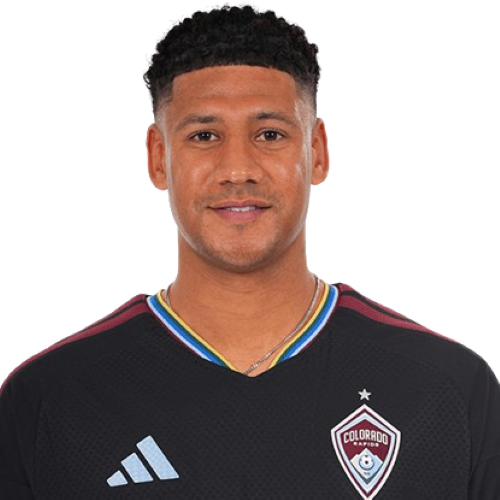
Ian Murphy is a United States defender currently listed with Colorado Rapids in Major League Soccer.
Ian Murphy MLS Profile
- Club: Colorado Rapids
- Position: Defender
- Nationality: United States
- Born: January 16, 2000
- Height: 6 ft 2 in (1.88 m)
- Weight: 183 lbs
About Ian Murphy
Ian Murphy (born January 16, 2000) is an American professional soccer player who plays as a defender for Major League Soccer club Colorado Rapids.
Career
Youth
Murphy played club soccer as part of the FC Golden State academy, helping the team to the finals of the Dallas Cup in 2014–15, and a first-place finish in the Southwest Division of the Western Conference in 2016–17.
College
In 2018, Murphy attended Duke University to play college soccer. During his time at Duke, Murphy made 69 appearances for the Blue Devils, scoring three goals and tallying seven assists. He was named to the ACC Academic Honor Roll on three consecutive occasions, was Duke's Defender of the Year in 2021, and was Third Team All-South Region in his senior season.
Professional
On January 11, 2022, Murphy was selected 14th overall in the 2022 MLS SuperDraft by FC Cincinnati. He officially signed with the Major League Soccer club on February 23, 2022. He made his professional debut on March 5, 2022, appearing as a 75th-minute substitute during a 0–1 loss to D.C. United.
Ian Murphy Discussion
Discuss Ian Murphy, Colorado Rapids, MLS performances, transfers, goals, highlights, and Major League Soccer news on MLS Forums.
Ian Murphy MLS Player Links
Loading player links...
Join the conversation
You can post now and register later. If you have an account, sign in now to post with your account.