






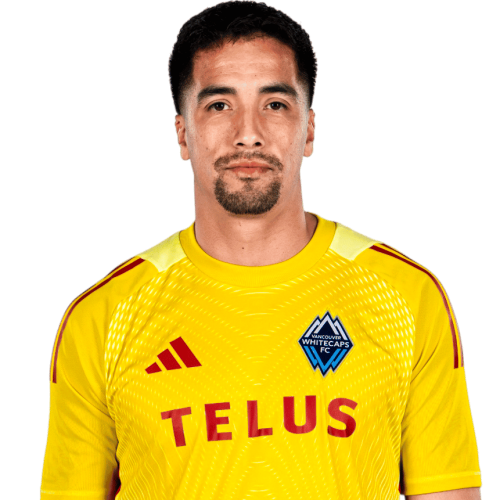
Adrián Zendejas is a United States goalkeeper currently listed with Vancouver Whitecaps in Major League Soccer.
Adrián Zendejas MLS Profile
- Club: Vancouver Whitecaps
- Position: Goalkeeper
- Nationality: United States
- Born: August 30, 1995
- Height: 1.95 m (6 ft 5 in)
About Adrián Zendejas
Adrián Zendejas Rodríguez (born August 30, 1995) is an American professional soccer player who plays as a goalkeeper for the Vancouver Whitecaps FC.
Zendejas grew up playing with Nomads SC and San Diego Surf of the U.S. Soccer Development Academy, and for Hilltop High School, before joining the under-20s of Liga MX side Tijuana.
On June 30, 2016, Zendejas signed with United Soccer League side Swope Park Rangers. He went 8-0-0 in his first eight starts. In helping Rangers to the USL Cup Final, he had a 0.36 goals against average and 0.87 save percentage, both tops in the USL among all goalkeepers with at least eight appearances.
In December 2016, Zendejas signed a Major League Soccer contract with Sporting Kansas City. He began the 2017 MLS season as backup to Tim Melia, before re-joining Rangers on loan from Sporting KC.
Zendejas is eligible to play for the United States due to his birth and upbringing in Chula Vista, California, and for Mexico through parentage. He has expressed an interest in representing the United States.
Adrián Zendejas Discussion
Discuss Adrián Zendejas, Vancouver Whitecaps, MLS performances, transfers, goals, highlights, and Major League Soccer news on MLS Forums.
Loading MLS player hub...
Join the conversation
You can post now and register later. If you have an account, sign in now to post with your account.